NaviFut xStep Foot-Operated Wireless Mouse Review
Author: Ian C. Langtree - Writer/Editor for Disabled World (DW)
Published: 24 Mar 2026 - Updated: 24 Aug 2026
Publication Type: Product Release, Update
Table of Contents:
Synopsis - Definition - Overview - FAQs - Insights, Updates - Related Content
Synopsis
This article reviews the NaviFut xStep, a foot-operated wireless mouse created by an Italian engineer who developed it out of personal need after struggling with repetitive strain injury. The review covers how the device works, including cursor movement via an integrated optical sensor and a rolling click mechanism, along with details on surface compatibility, the learning curve, and who stands to benefit most from it. Readers dealing with upper limb amputations, paralysis, hemiparesis, hand tremors, carpal tunnel syndrome, or chronic repetitive strain will find practical information here about a hands-free alternative to the traditional mouse, as will occupational therapists, assistive technology specialists, and anyone looking to reduce physical strain during prolonged computer use.
At a Glance
- 1 - The outer case is made using 3D printing with PLA, a biodegradable plastic. This choice keeps the build lightweight and environmentally conscious.
- 2 - An inward roll of the foot triggers a left click and an outward roll triggers a right click. These functions can also be inverted in the operating system settings.
- 3 - The integrated optical sensor offers a resolution of up to 1600 DPI for precise tracking. Sensitivity can be adjusted through software, just like a standard mouse.
- 4 - Most users reach precision comparable to a hand-operated mouse within a few days. This makes the device practical for everyday work, video editing, and gaming.
Topic Definition
- NaviFut xStep Foot-Operated Wireless Mouse
The NaviFut xStep Foot-Operated Wireless Mouse is a hands-free assistive input device that allows users to control a computer cursor and perform left and right clicks using foot movements instead of hand movements. Developed by an Italian engineer in response to his own repetitive strain injury, the device uses an integrated optical sensor for cursor tracking and a controlled rolling motion of the foot for clicking. It connects wirelessly, works on various floor surfaces with or without a mouse mat, and can be operated with either foot, with or without shoes. The NaviFut xStep is designed primarily for individuals with upper limb disabilities, amputations, paralysis, or chronic conditions such as carpal tunnel syndrome, though it can also serve as an ergonomic alternative for anyone seeking to reduce hand and wrist strain during extended computer use.
Overview
The following is a review of the NaviFut foot mouse, an assistive computer device that allows users to control a computer without using their hands, including cursor movement and left and right clicking. It is designed for people with hand impairments or disabilities, amputees, as well as those dealing with repetitive strain injuries.
The NaviFut foot mouse is a new assistive device developed by an Italian engineer. The idea came directly from personal necessity. As he explains:
"I developed repetitive strain injury in both wrists due to continuous computer use. I tried every possible alternative - trackballs, vertical mice, pen tablets - but nothing really worked for me. That’s why I started experimenting with controlling the computer using my foot. After several iterations, I realized it was possible to build a device that could be fully controlled this way, both for cursor movement and for left and right clicking. I’m now making it available for everyone who may also benefit from it."
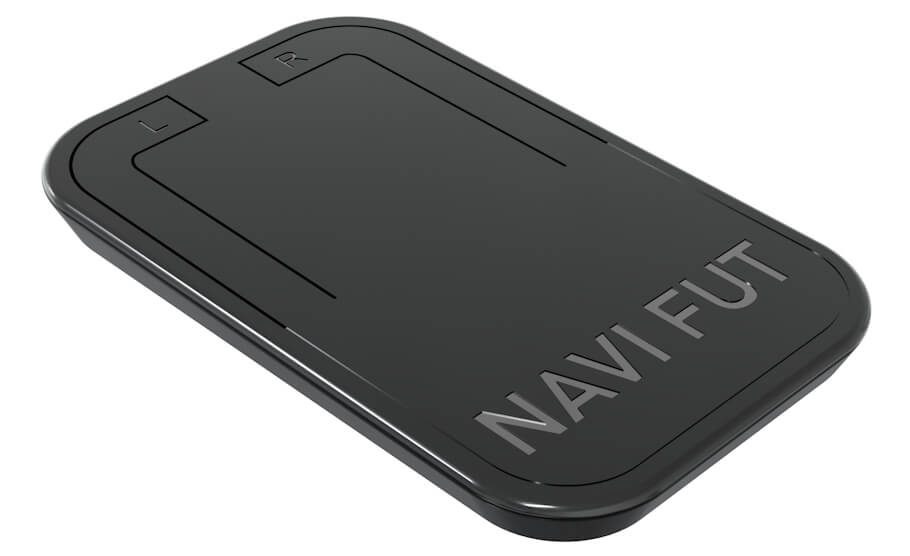
The device is designed with ergonomics and long-term use in mind. Its shape allows the foot to rest comfortably on top, with most of the weight supported by the heel. This makes it suitable for extended use without causing excessive strain.
Cursor movement works in a similar way to a traditional mouse. By gently sliding the device across the floor, the cursor moves accordingly on the screen. The device includes an integrated optical sensor with a resolution of up to 1600 DPI, ensuring a good level of precision (Figure 1). Sensitivity can also be adjusted through software, just like with a standard mouse.
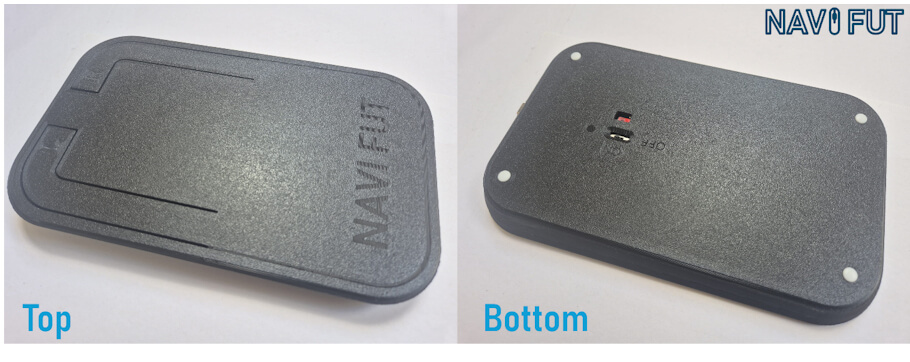
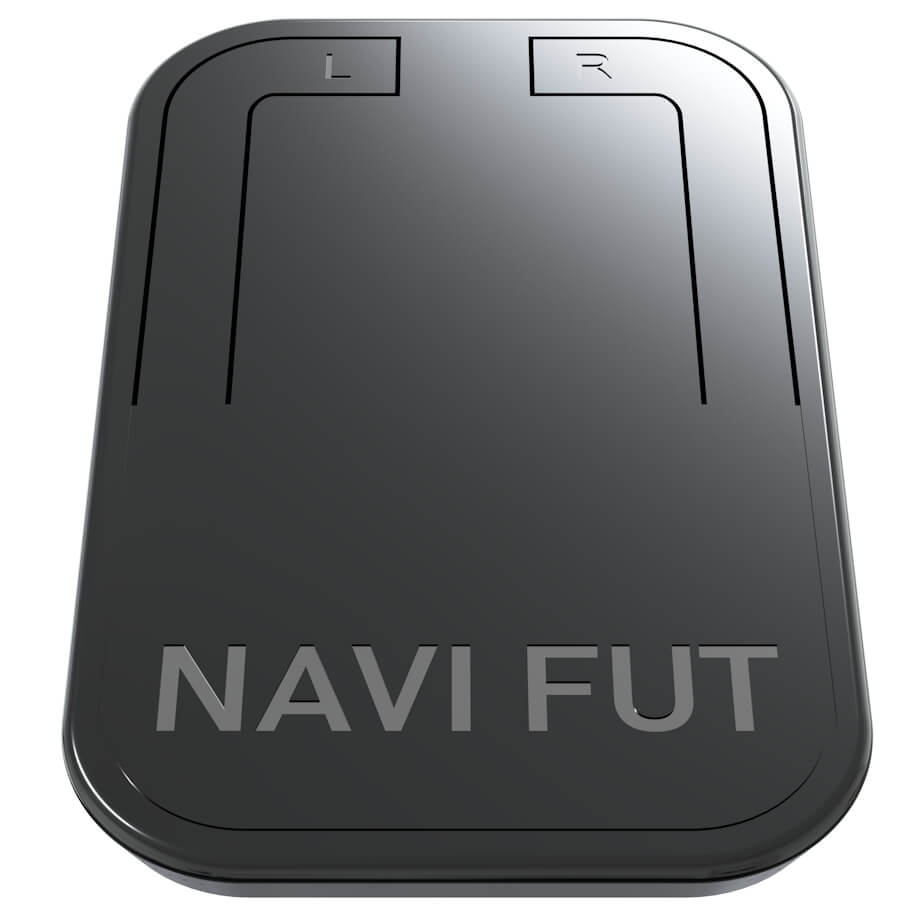
Clicking is achieved through a controlled rolling motion of the foot. Starting from a relaxed position with the weight mainly on the heel, the user shifts the foot forward. A slight inward roll activates the left click, while a slight outward roll activates the right click. This motion becomes more natural with practice. Additionally, left and right click functions can be inverted directly in the operating system settings.
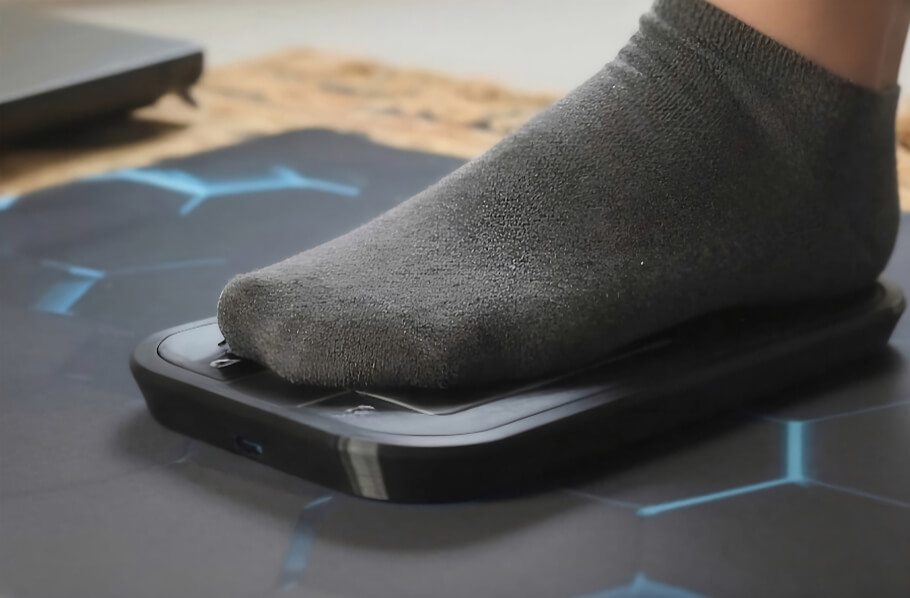
The device can be operated both with and without shoes. It is also compatible with different types of surfaces. On hard and smooth floors, such as wood or tiles, it can be used directly. In cases where the surface is softer or rougher, such as carpet, it is recommended to place a mouse mat underneath to improve movement, similar to a traditional mouse setup.
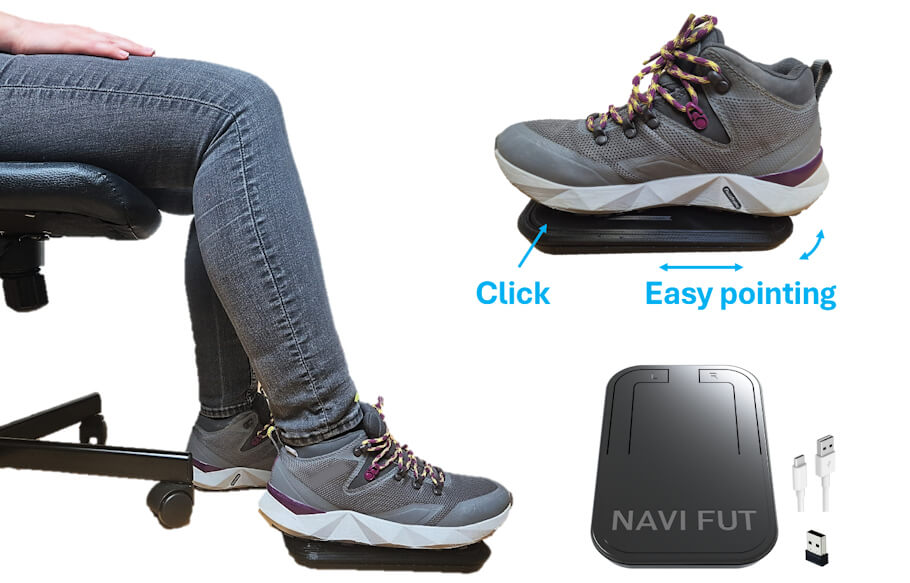
The learning curve is relatively short. Within a few days of use, most users can achieve a level of precision comparable to that of a hand-operated mouse. This makes it suitable for everyday computer use and work tasks, video editing and gaming.
The device can be used with either the left or right foot, depending on user preference.
The device outer case is manufactured using 3D printing with PLA, a biodegradable plastic material.
Who Can Benefit From This?
NaviFut has already started shipping internationally and has received positive feedback from users across different regions.
Some examples of people who have benefited from this technology include:
- Hand or upper limb amputees
- Individuals with limited hand mobility or paralysis
- People with conditions such as hemiparesis
- Users experiencing hand tremors
- Individuals suffering from long-term conditions such as repetitive strain injury or carpal tunnel syndrome.
In general, it can be a helpful alternative for anyone who struggles with traditional mouse use or is looking to reduce strain during prolonged computer work.
Where to Find Further Resources:
On Amazon for customers within the European Union.
More information on its operation and demo videos can also be found on NaviFut website and YouTube Channel at youtube.com
Frequently Asked Questions
Does the NaviFut xStep work on carpet
Yes, the device works on various floor surfaces, but on softer or rougher surfaces such as carpet it is recommended to place a mouse mat underneath to improve movement.
Can I use the foot mouse with either foot
Yes, the device can be operated with either the left or right foot depending on user preference, and it can be used with or without shoes.
Where can I buy the NaviFut xStep
It is available through the NaviFut website with worldwide shipping, via Kickstarter, and on Amazon for customers within the European Union.
Do I need special software to use the foot mouse
The device functions like a standard mouse, and its sensitivity can be adjusted through software while the left and right click functions can be inverted in the operating system settings.
How long does it take to learn the foot mouse
The learning curve is relatively short, and within a few days of use most people can reach a level of precision comparable to a hand-operated mouse.
Is the NaviFut xStep suitable for gaming
Yes, once precision is achieved the device is suitable for everyday computer use, work tasks, video editing, and gaming.
How does the foot mouse connect to a computer
The device connects wirelessly to a computer, and a USB cable and wireless receiver are included for hands-free control.
Who created the NaviFut xStep foot mouse
It was developed by an Italian engineer who built it out of personal need after experiencing repetitive strain injury in both wrists from continuous computer use.
Insights, Analysis, and Developments
Editorial Note: The NaviFut xStep represents a straightforward and well-considered approach to a real accessibility gap - giving people who cannot use a conventional mouse a viable path back to independent computer use. What makes it particularly noteworthy is that it grew out of lived experience rather than abstract product development, and the result is a device that prioritizes comfort and long-term usability over novelty. As hands-free computing solutions continue to evolve, purpose-built hardware like this serves as a reminder that effective assistive technology does not always require complexity - sometimes the simplest shift in interaction, from hand to foot, is exactly what is needed.
 Author Credentials: Ian is the founder and Editor-in-Chief of Disabled World, a leading resource for news and information on disability issues. With a global perspective shaped by years of travel and lived experience, Ian is a committed proponent of the Social Model of Disability, a transformative framework developed by disabled activists in the 1970s that emphasizes dismantling societal barriers rather than focusing solely on individual impairments. His work reflects a deep commitment to disability rights, accessibility, and social inclusion. To learn more about Ian's background, expertise, and accomplishments, visit his full biography.